
Agent · Code · Thread · Studio
Wield a whole team of agents.
Claude Code, Codex and Grok side by side in real terminals. Chat with them in threads. Hand real work to AI teammates with their own browser. All on your machine, on the plans you already pay for.
Who uses it

KOMPETE, an Unreal Engine 5 video game, is built in Flex Hydra every day.
A hydra is many heads with one will. Flex Hydra is that for agents, in three modes, plus Studio for videos.
Agent mode
AI teammates you can hand real work to.
Give one a name, a job and rules in plain English. It signs in to the sites you use, works in its own browser on your machine, and comes back with finished work, on a schedule if you want.
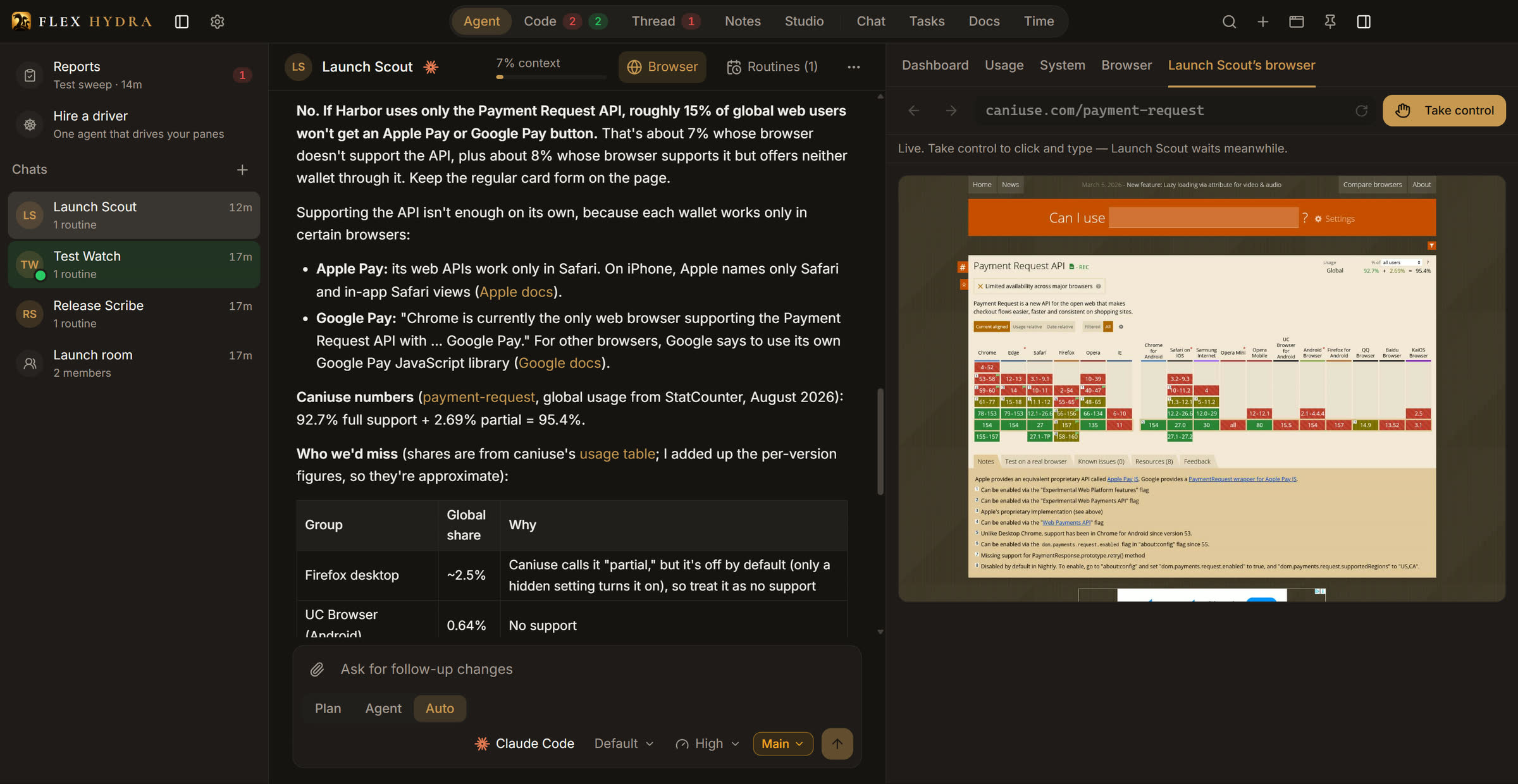
Message it like a teammate
It keeps notes on what it learns, so it remembers how you like things done. When it needs you, it asks.
Its own browser
Sign it in once and it stays signed in. Watch its screen live; take over with one click.
Routines
“Every morning at 7:50” or “every 4 hours”. Runs from the tray with no window open; the report lands in its chat, with a notification.
- Put them in a room
- Group chats: @mention one or ask everyone, and they pass work between themselves.
- Nothing important happens without you
- Browsing and its own files just happen; anything else waits for Approve, unless you switch it to Auto.
- Guard rails
- Every run has a time limit, a busy teammate skips a slot instead of piling up, and three failures in a row pause it.
- Kept apart from your setup
- Claude Code or Codex, on any of your accounts, with its own proxy if you want one (HTTP or SOCKS5, stored encrypted). It never loads your own settings, plugins, hooks or MCP servers.
Code mode
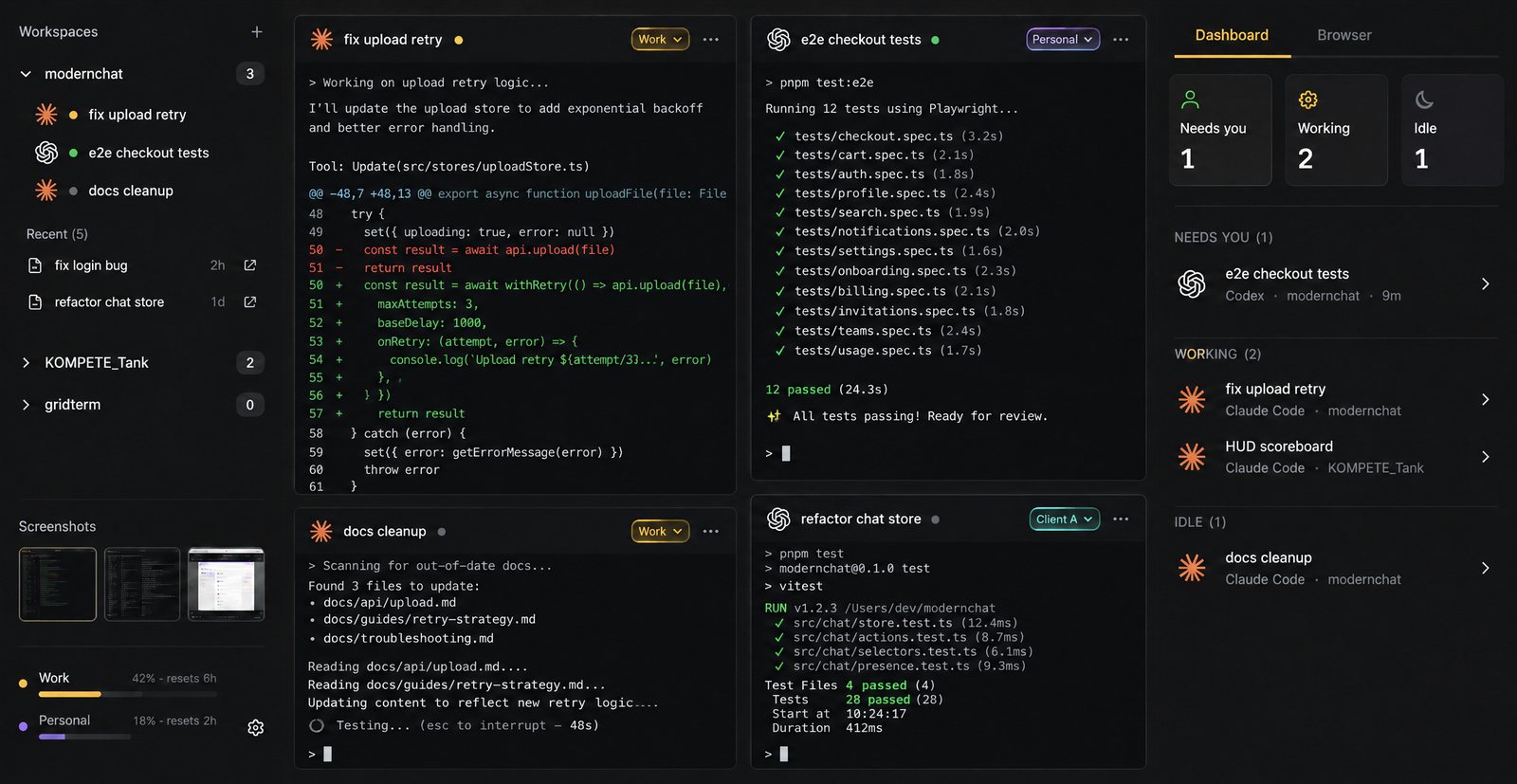
Every agent. One grid. Nothing waiting on you unseen.
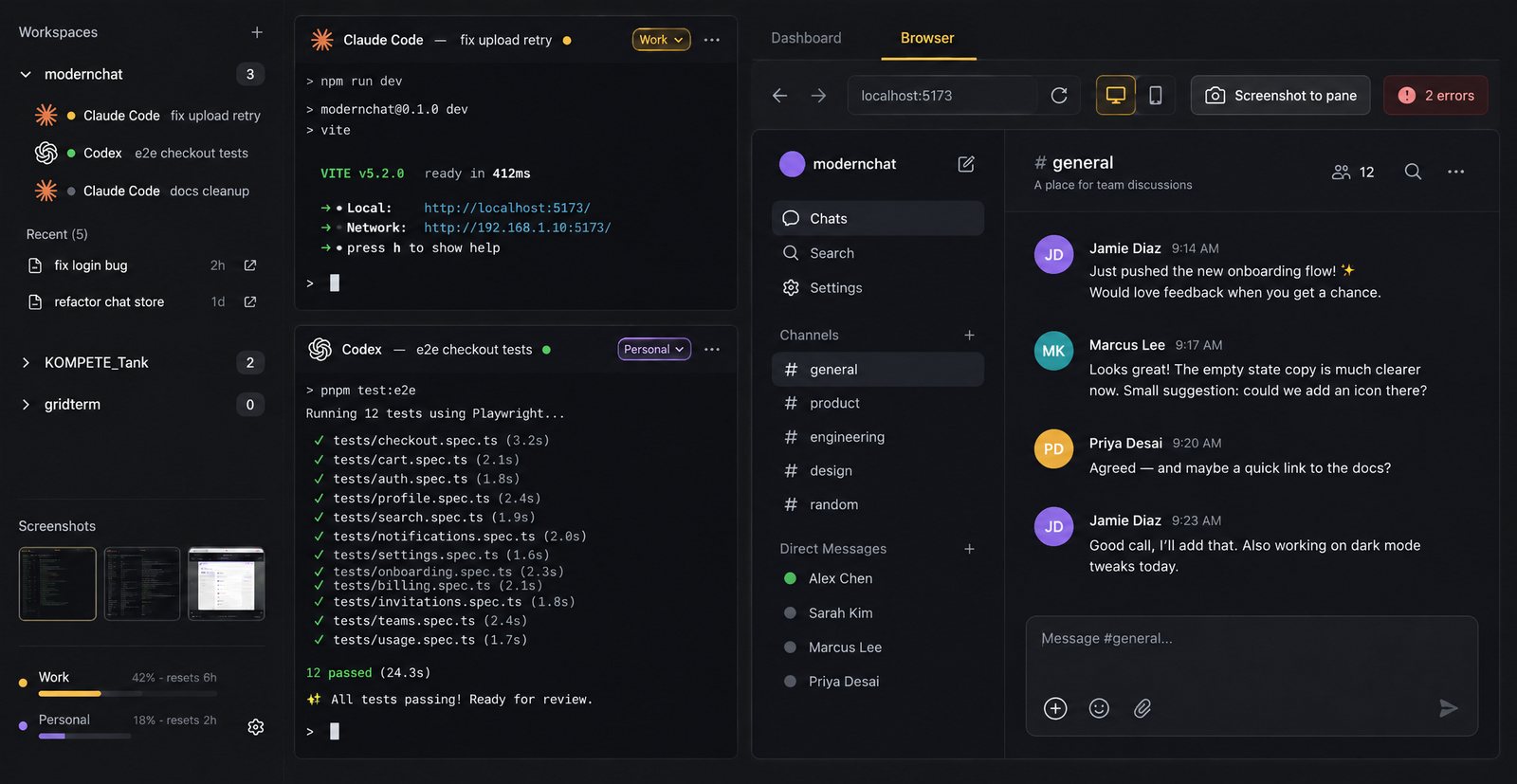
Run them in a grid you split and resize. They’re the real CLIs, so your hooks, skills and MCP servers just work, and quitting an agent leaves a working shell.
Red needs you, amber is working, green is done and not yet seen, gray is idle. The Dashboard puts the ones waiting on you first, across every window; one click jumps there, and a notification pings you when you’re in another app.
- Claude Code
- Codex
- Grok Build
- Gemini CLI
- Cursor Agent
- any shell
 Flex Hydra · now
e2e checkout tests
Needs your input
Accounts
Never stop at a limit.
Add every Claude Code and Codex login you have: work, personal, client. When one runs out, keep going on the account with the most room, same conversation, one click. Or let Flex Hydra wait and type “continue” the minute the limit resets.
- Usage and reset times (5-hour and weekly) for every account in one place.
- Choose the account per pane, per project or per teammate. Routines skip an account that’s out.
- You sign in through the CLIs themselves. Flex Hydra never reads your credentials.

Thread mode
When you’d rather talk than type.
Claude Code and Codex as a conversation: streaming replies, tool calls folded away, edits as diff cards you Accept or Reject, Plan / Agent / Auto modes, live model and effort pickers, a context meter.
It runs your own CLI with your own login and settings. “Open in terminal” continues the same conversation in a pane.
More about Thread mode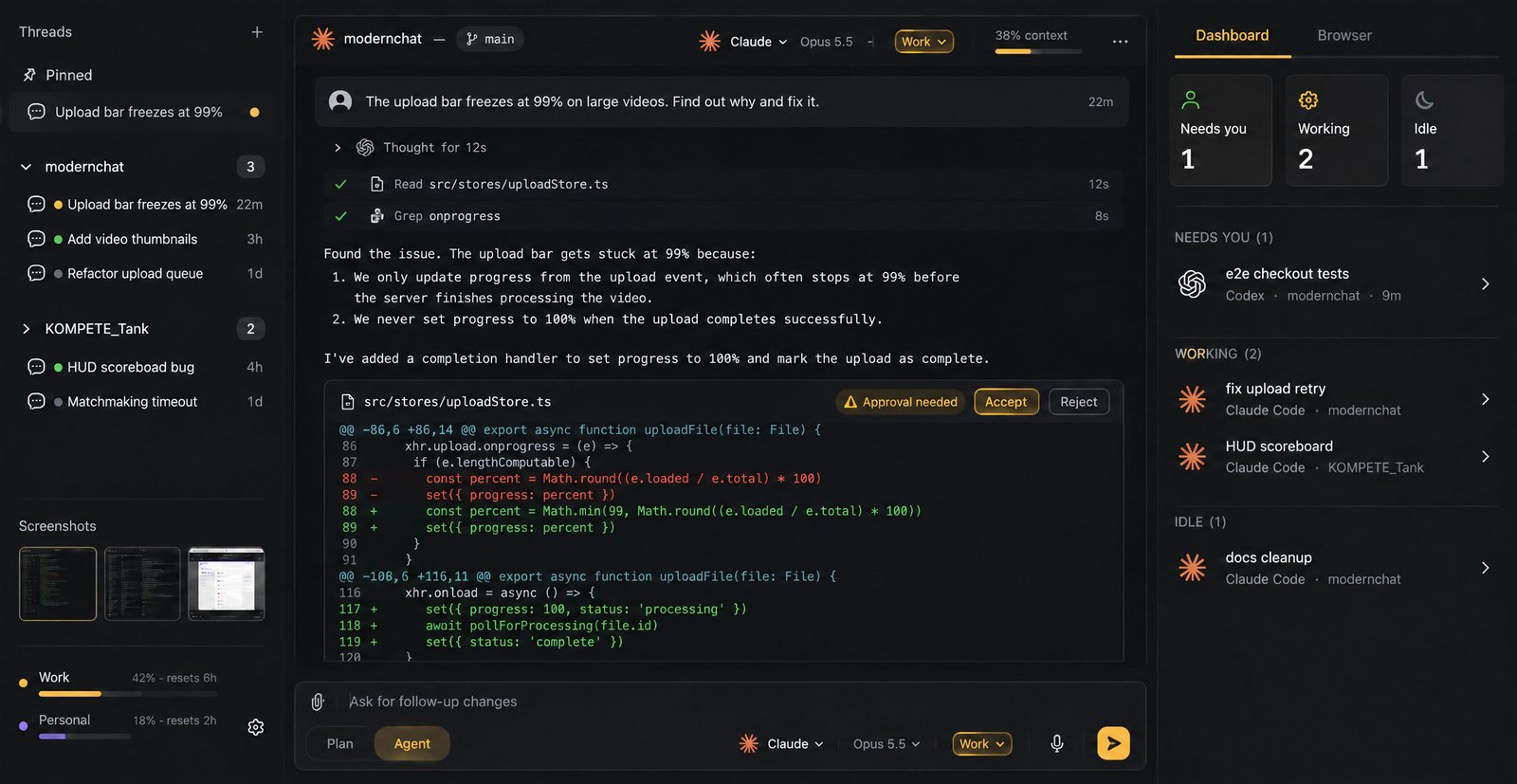
Studio · Windows
Record it. Edit it. Post it. With an agent that edits beside you.
A screen recorder and a video editor in the same app. The recording, the transcripts and the exports are all made on your PC.
Record
A profile per kind of video, each on its own hotkey: a display or one app’s window, your camera as a bubble or a split, every mic and speaker on its own track.
Clip it
A profile can keep the last 1 to 10 minutes while it’s armed. One key saves them as a recording.
Edit
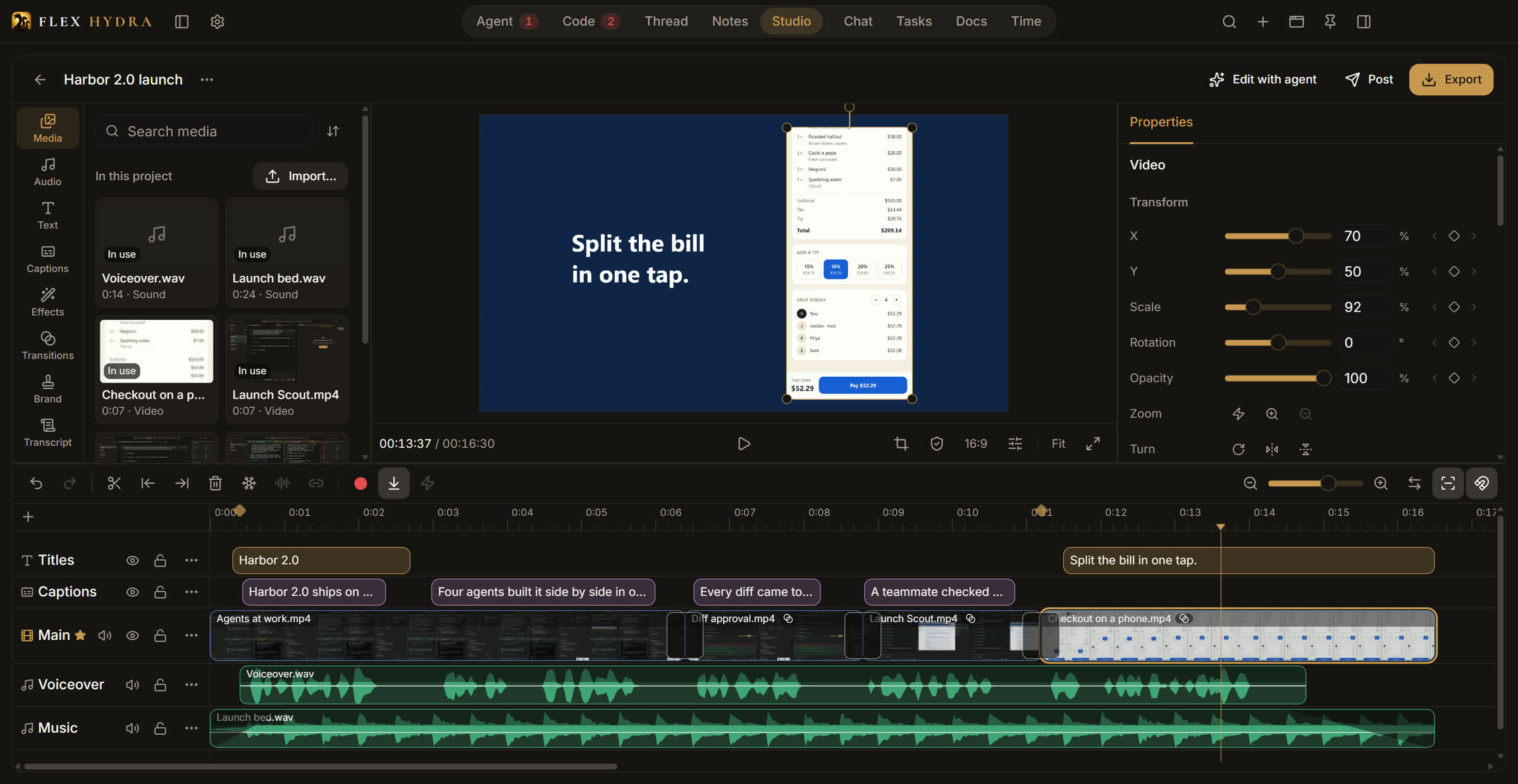
A timeline with tracks, text, captions, transitions, effects, keyframes, masks, speed and freeze frames. Your brand kit goes on with a click.
Edit by words
Transcripts run on your PC. Delete words in the transcript and the video cuts there.
Quick edit
One click cuts the long silences, the filler words and every line you marked Retake, adds captions, and zooms a screen recording in on the cursor when its profile has Zoom on the cursor on.
Export for every platform
TikTok, Reels, Shorts, YouTube or square, at 30 or 60 fps, with the sound levelled to −14 LUFS, on your graphics card’s encoder.
The Editor
Brief an agent (“60 s TikTok, hook first”) and it edits the project with you, live on your timeline. It renders a preview and looks at every cut before it exports, and each of its turns is one undo step.
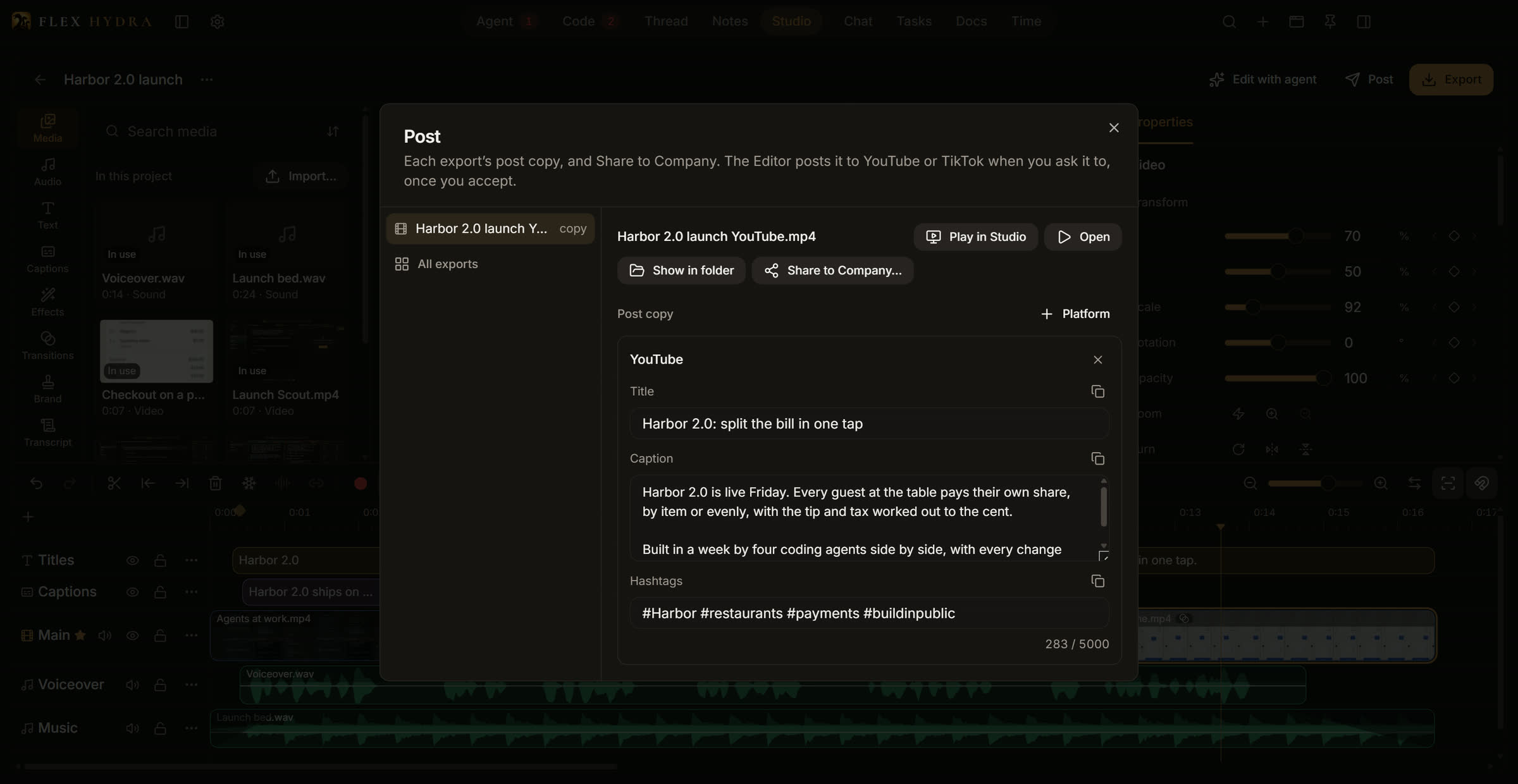
Posted when you say
It writes each platform’s title, caption and hashtags. It uploads to YouTube or TikTok from its own browser, and only after you click Accept.
Pick up where you left off
Reopen a workspace and every pane relaunches and resumes its conversation (Claude Code, Codex, Grok Build). Recent chats come from the agents’ own transcripts, including chats started outside Flex Hydra.
Show the agent what it built
A browser docks beside the grid for your dev server, desktop or mobile view. One click screenshots it into the pane you pick. Global hotkeys snip any region of the screen.
Local first
Your machine. Your plans. Your data.
No second bill
No API keys: Flex Hydra runs the agents’ own CLIs on your subscriptions.
Nothing locked in
Conversations stay in the agents’ own files, where the CLIs keep them.
A browser that stays out
Teammates browse from your machine (or a proxy you choose) and can’t reach your local network, so a web page can’t steer an agent into your router or dev servers.
Never cut off mid-run
A lapsed subscription never stops a running agent.
Small things people notice
- Ctrl/Cmd+click a file path in a terminal opens it in VS Code at that line.
- Command palette (Ctrl/Cmd+Shift+P) for every pane, chat, workspace and action.
- Clone a repo straight into a new workspace with its first agent running.
- Updates never interrupt running agents: they install as the app starts, or when you choose.
- Works offline for up to 7 days.
Company
Bring your team. Your team and your agents, in one app.
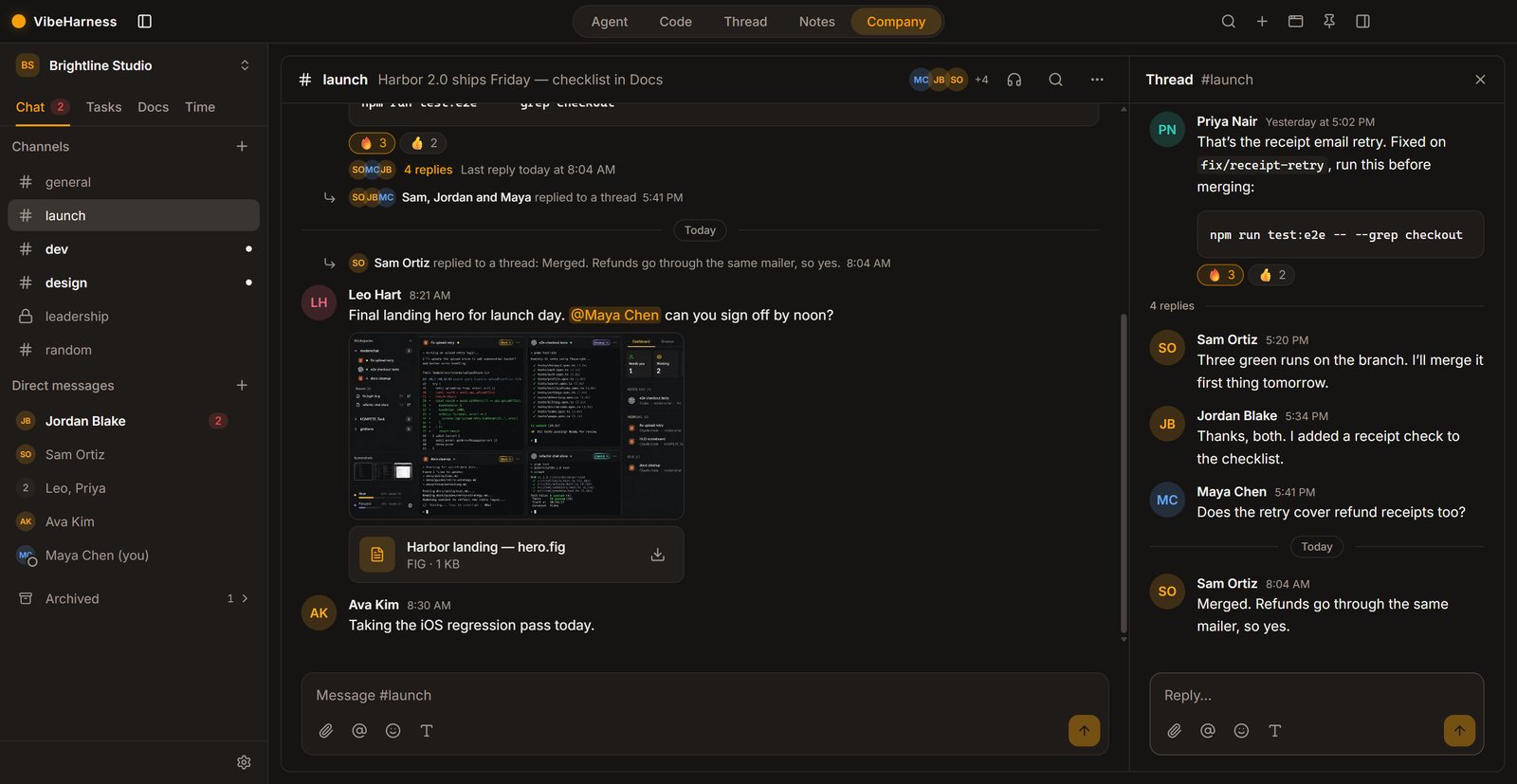
Chat, task boards, docs, time tracking and calls for your team, right next to your agents.
Approvals that stick
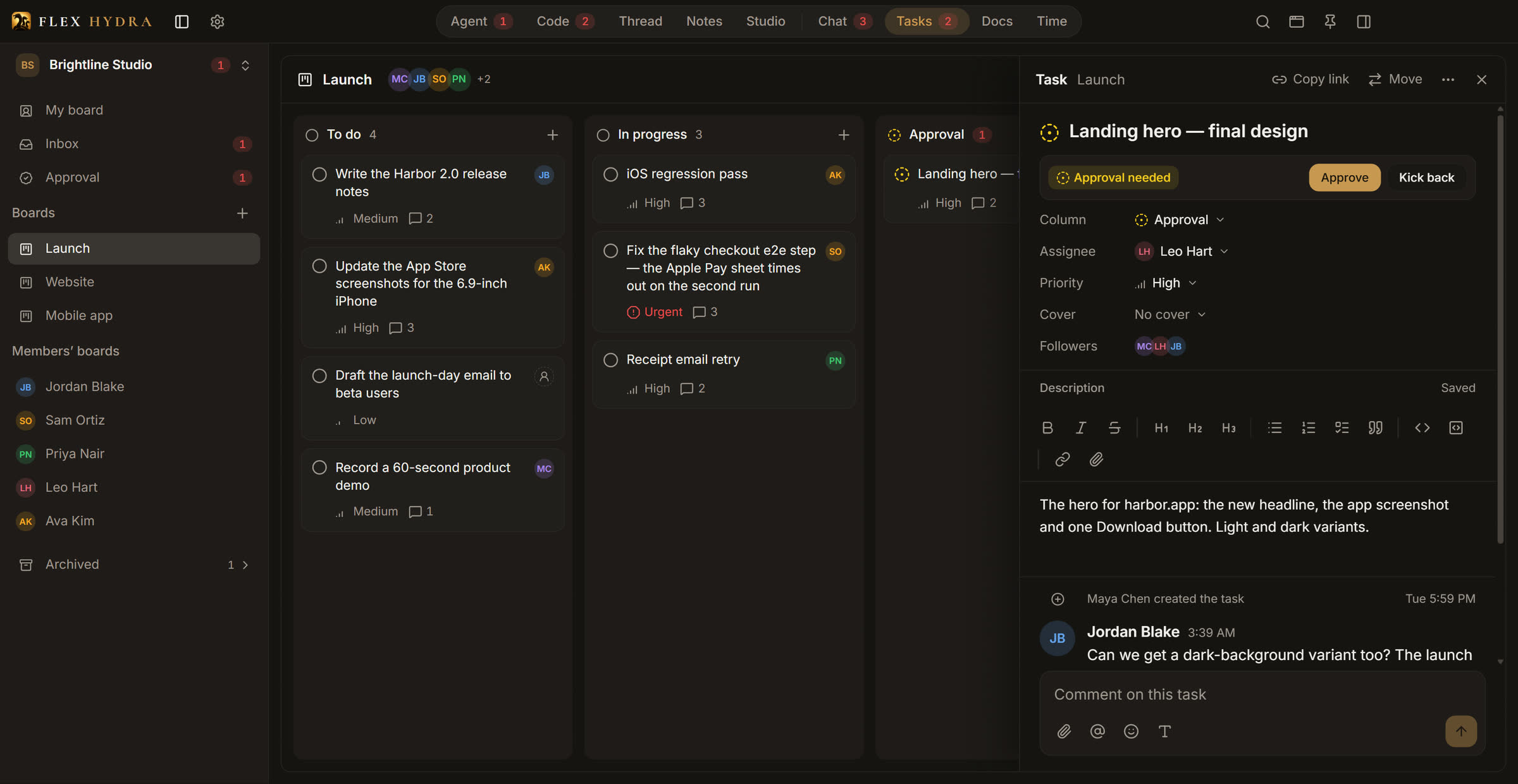
On a board with an Approval column, a member’s finished task waits for the owner or an admin, and nobody approves their own work. A kick back can carry a note to their inbox.
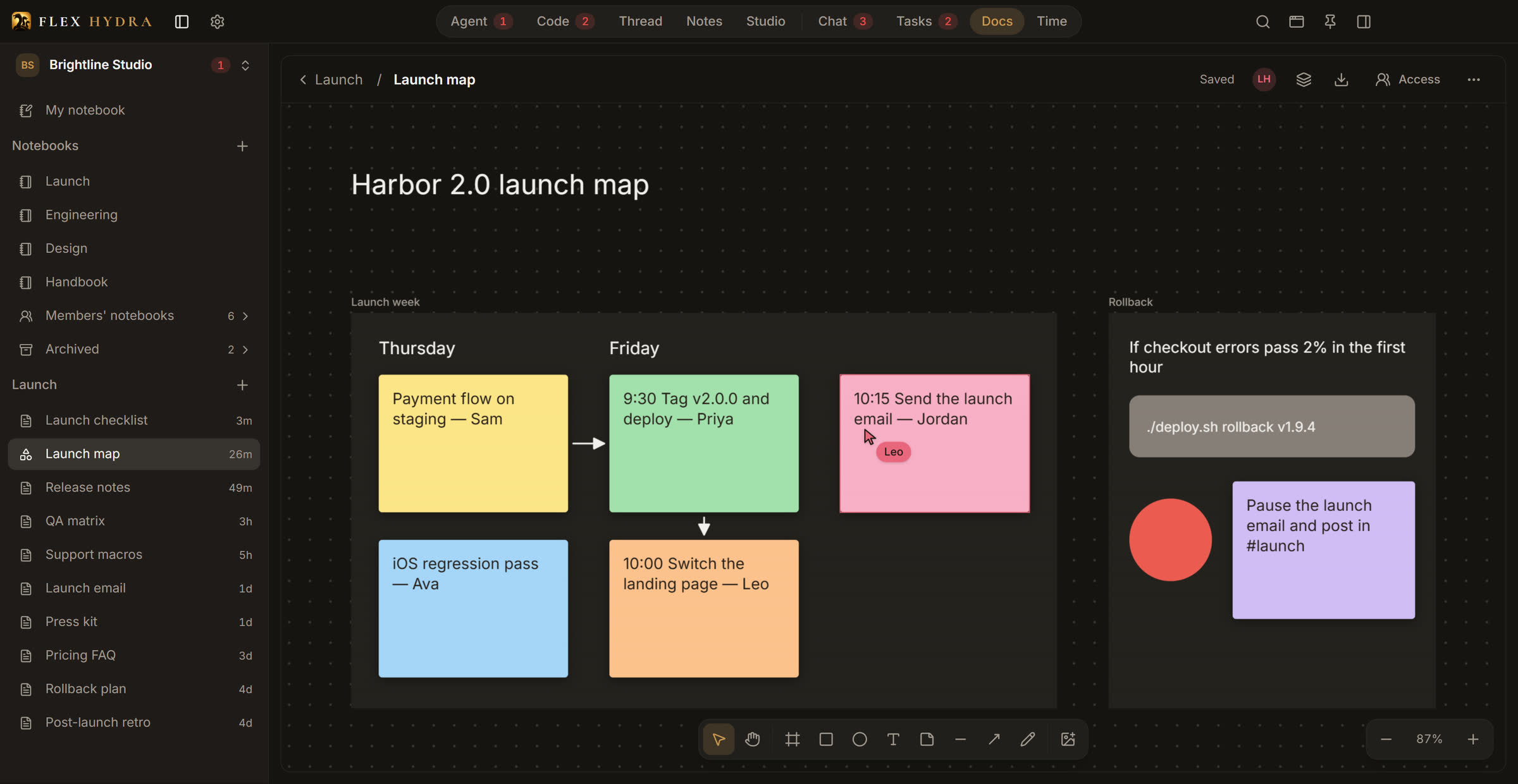
Docs and canvases
Notebooks of pages with a real save status: two people editing at once get a conflict notice instead of a silent overwrite. A page can be a canvas too, drawn on together live.
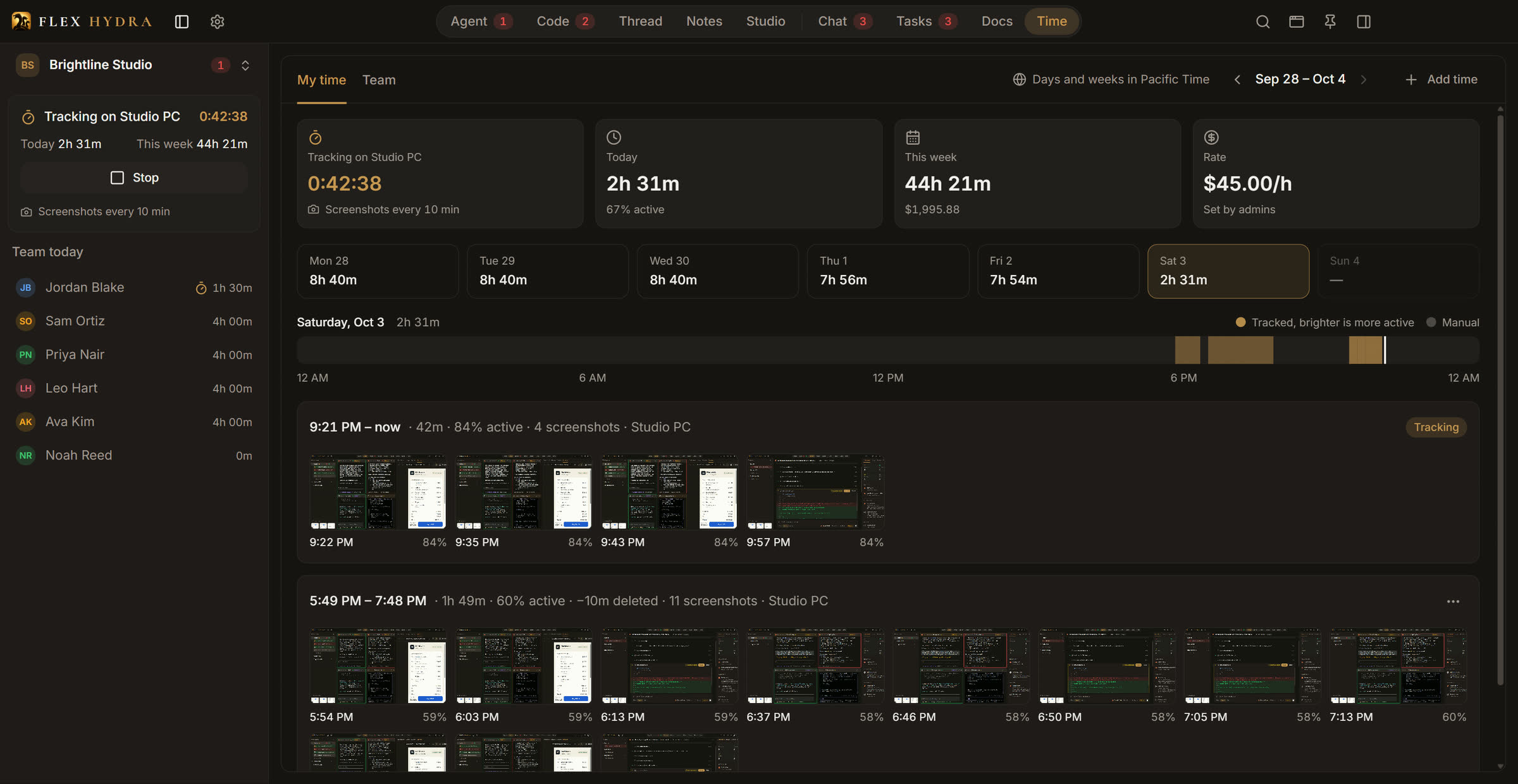
Time tracking in the open
Off until an admin turns it on for the company, and it runs only while a member’s own timer does. The member sees every screenshot and can delete one.
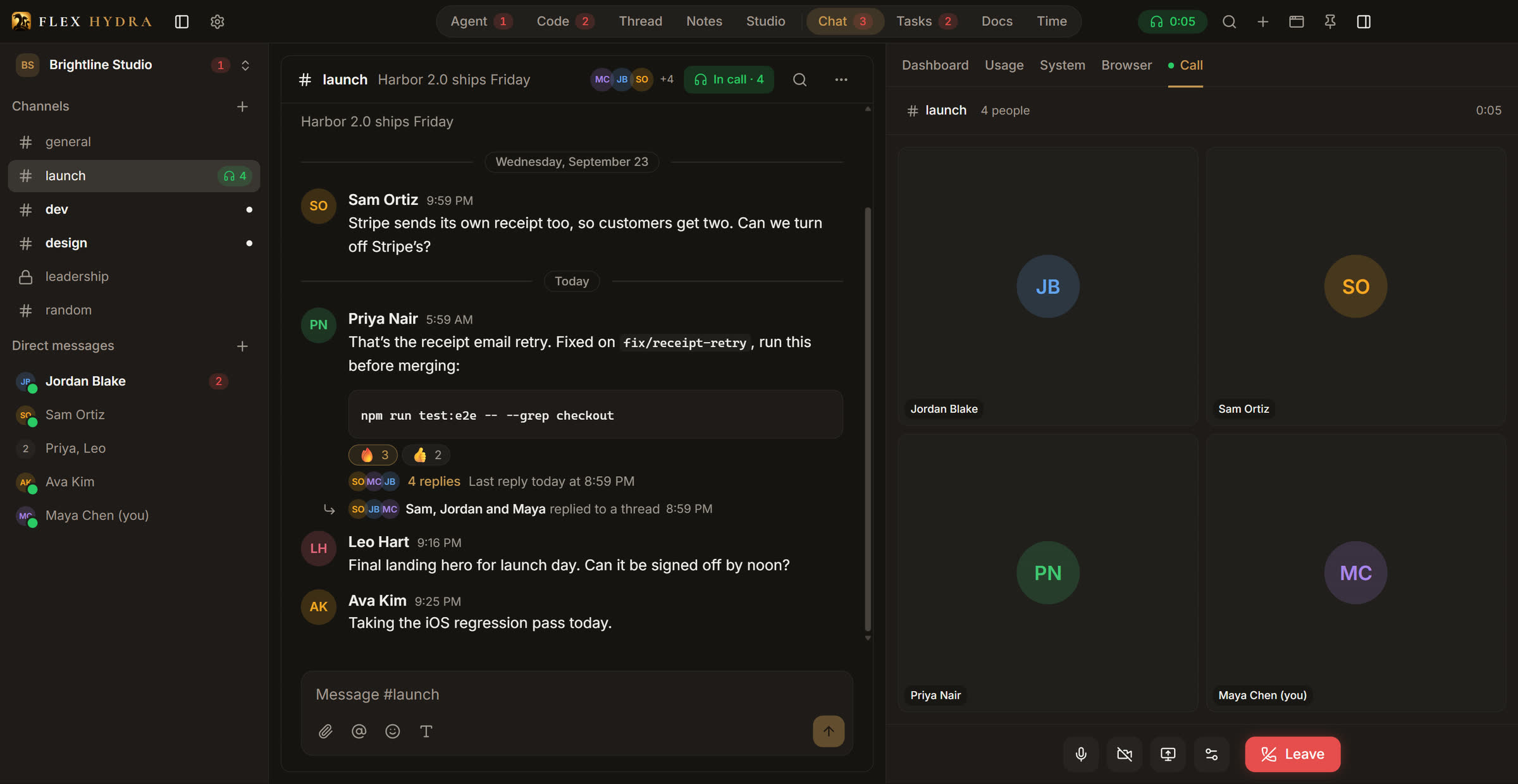
Calls in any conversation
Voice, video and screen sharing, on our own call server, and never recorded. A call started in a DM or group rings its people.
Chat that stays private
Channels, direct and group messages, threads, files and search. Only the people in a conversation read it; admins get no way around that.
Notifications on the desktop
For direct and group messages, @mentions, replies in your threads, invites and calls.
One price per seat
Every member gets all of Flex Hydra at $37 a month or $370 a year per seat, on the owner’s subscription.

Pricing · one plan
Many heads. One will.
$37/ month
$370/ year, save 17%
Up to 3 computers. Windows and macOS.