
Studio · Windows
A screen recorder and video editor for Windows.
Record
A profile for every kind of video.
A profile is what you record, your camera and its layout, the video’s shape and its audio tracks, on a hotkey of its own. Arm it and a frame shows what will be recorded: drag it, resize it, move the camera’s bubble.
Record one app’s window and Studio follows it as it moves, so nothing else on your screen gets in.
Every track on its own
Every mic and speaker records to a track of its own, and the export keeps your voice over the rest.
Switch the layout as you go
The screen with your camera as a bubble, a split, the camera alone or the screen alone, on a key while you record.
Pause, Mark, Retake
Each on a hotkey. Mark a moment to find it later; say a line again after Retake and Quick edit cuts the one before.
Clip it
A profile can keep the last 1 to 10 minutes while it’s armed. One key saves them as a recording, and it keeps going.
Edit
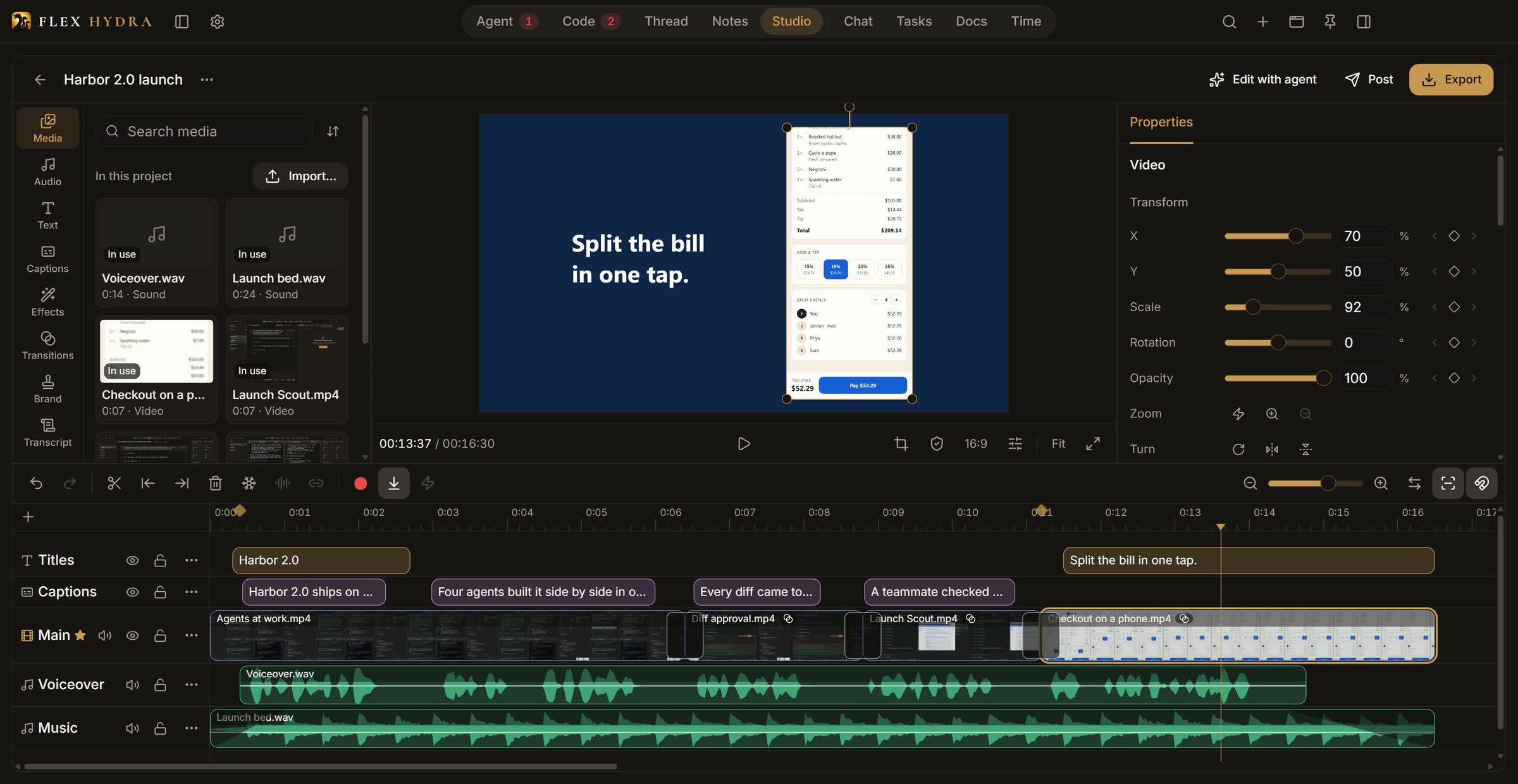
A real timeline, or just the words.
Every recording opens as a project, edited like any video editor’s, or by its transcript: delete what you said and the video cuts there.
A real timeline
Tracks of video, sound, text and captions. Transitions, effects and color looks, keyframes, masks, speed and freeze frames.
Edit by words
Transcripts run on your PC, on the graphics card when it can. Delete words in the transcript and the video cuts there, in the quiet before the next.
Quick edit
One click cuts the long silences, the filler words and every line you marked Retake, adds captions, and zooms a screen recording in on the cursor when its profile has Zoom on the cursor on.
Captions in three looks
Made from the transcripts, in Bold, Box or Minimal, each line yours to edit.
Your brand kit
Your logo, intro, outro and end card, on the timeline or on every export with a click.
Export for every platform
TikTok, Reels, Shorts, YouTube or square; 720p to 2160p (above 1080p only when the footage fills it); 30 or 60 fps; the sound levelled to −14 LUFS.
The Editor
An agent that edits with you.
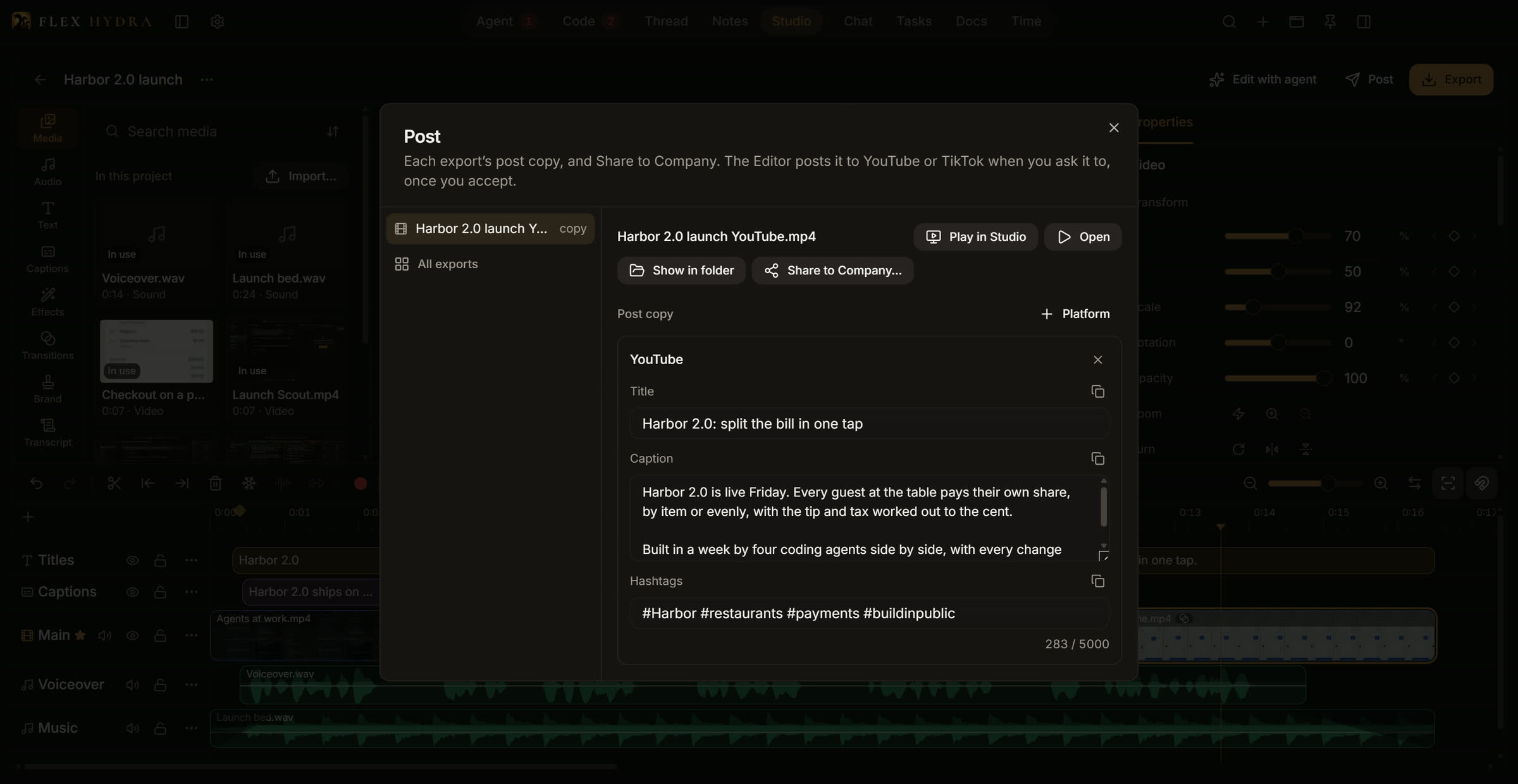
Give it a brief (“60 s TikTok, hook first”) and it works on the project, live on your timeline: it reads the transcript, cuts, adds captions, zooms and text, then renders a preview and looks at every cut before it exports.
Each of its turns is one undo step. It writes the post copy for each platform, and uploads to YouTube or TikTok from its own browser only after you click Accept.
Set a profile to hand every new recording to the Editor with its brief.
Does Studio work on a Mac?
No, Studio is Windows only. The rest of Flex Hydra runs on macOS too.
Does Studio need a graphics card?
It needs a hardware video encoder: NVIDIA’s, AMD’s or Intel’s, on a graphics card or built into the processor. Studio records and exports on it, and says so if your PC has none.
Does my video leave my PC?
Only when you send it. Recording, transcripts and exports all run on your PC, and the files stay in your Recordings folder: a video leaves only when you post it or share it with your company. The Editor is Claude Code on your own login, so what it reads (the transcript, and the frames it looks at) goes to Claude as in any Claude Code chat.
Will the Editor post without me?
No. It uploads only to YouTube or TikTok, from its own browser, and only after you click Accept in its chat. For the other platforms it writes the post copy for you to paste.
What does the Editor cost?
Nothing extra. It runs Claude Code on one of your own accounts, so its usage counts against the plan you already have.
Can I edit videos I didn’t record in Studio?
Yes. Import video, sound and pictures into a project and edit them the same way, transcripts and all.

Pricing · one plan
Many heads. One will.
$37/ month
$370/ year, save 17%
Up to 3 computers. Windows and macOS.