
Thread mode
Claude Code and Codex, as a chat.
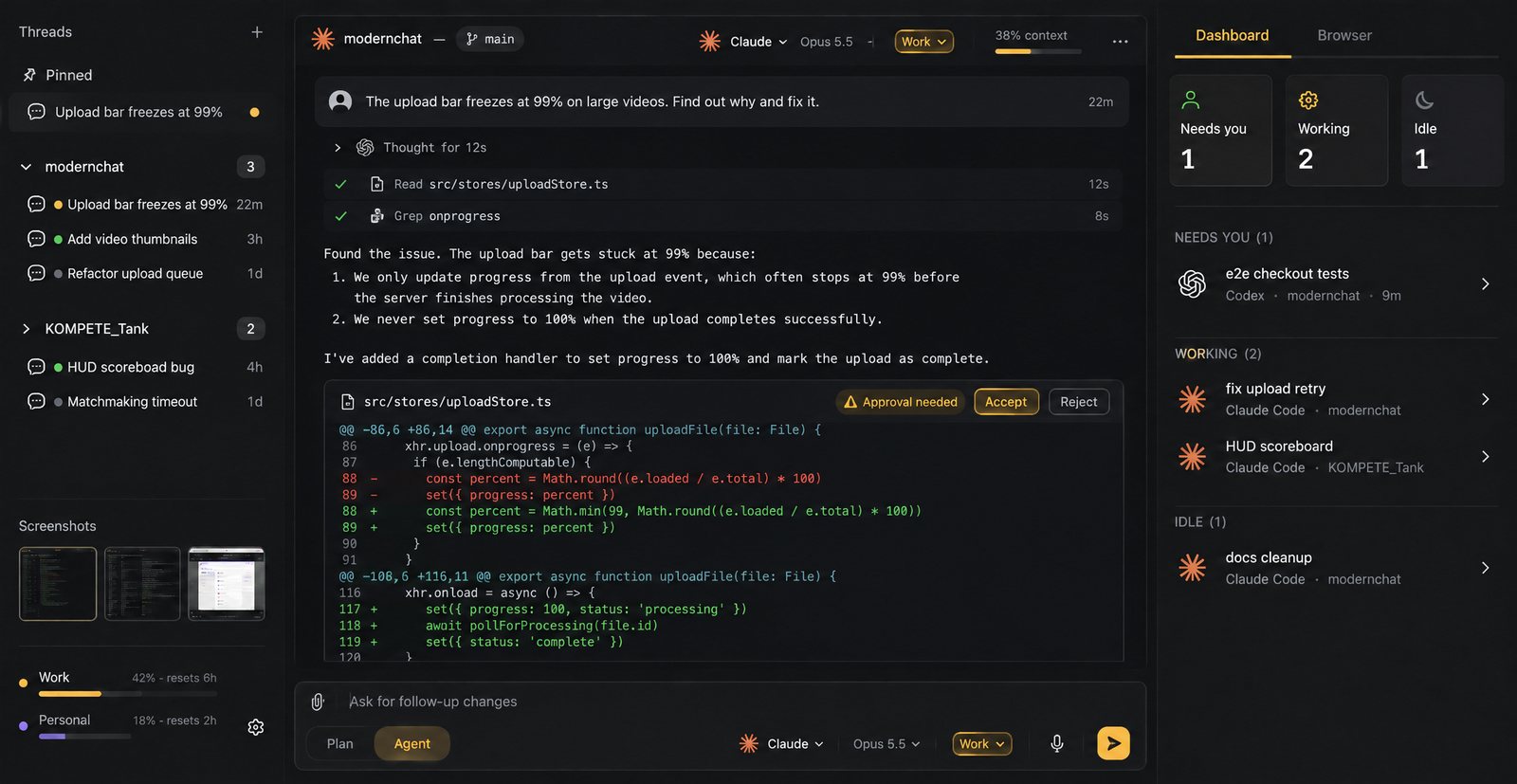
Three modes
As much say as you want.
Pick a mode for each chat, and change it between turns as the work moves from exploring to building.
- Plan
- Reads only: it explores the code and proposes a plan.
- Agent
- Asks before edits and commands.
- Auto
- Never asks, with full access to your machine.
The chat
Read the work, not the scrollback.
Diffs you accept
Every edit arrives as a diff card with Accept and Reject, so nothing lands without you seeing it.
Tool calls folded away
Reads, searches and commands fold into one line each. Open one when you want the detail.
Model and effort, live
Change the model and the effort from the composer, between any two turns.
A context meter
See how full the conversation is before it runs out of room.
Open in terminal
Move the chat to a terminal pane anytime. It continues the same conversation, in the real CLI.
On any of your accounts
Pick the account per chat. Every account shares the chats, so the next turn picks up where the last one stopped.
Is it the same Claude Code I run in a terminal?
Yes. Thread mode runs the Claude Code (or Codex) installed on your computer, with your own login and settings, not a bundled copy. That’s why a chat can continue in a terminal pane.
Which agents work in Thread mode?
Claude Code and Codex. Every other agent runs in Code mode’s terminals.
Do I approve every change?
In Agent mode, edits and commands wait for your approval. Plan mode only reads, and Auto runs without asking.
Do I need an API key?
No. It runs on your Claude Code or Codex login, on the plans you already have with Anthropic and OpenAI.

Pricing · one plan
Many heads. One will.
$37/ month
$370/ year, save 17%
Up to 3 computers. Windows and macOS.